I've lost more evenings than I'd like to admit typing prompts into ai video generator apps and waiting to see what comes out the other end. Some of it is genuinely startling — a sentence turns into a moving, scored little clip in under a minute. Some of it is a blurry mess that ate a week's worth of credits and taught me nothing except to read the fine print before I subscribe.
The pitch across almost every one of these apps is identical: type an idea, pick a style, get a video, no editing skills required. What actually separates them is quieter stuff — how honest the free tier is, whether the model roster is real or just a list of buzzwords in the App Store description, and how painful it is to cancel once you've handed over a card number. I've gone through a stack of them on my phone this month, and the differences showed up fast once I stopped reading marketing copy and started actually generating.
None of them are one-size-fits-all, and I think that's the part most reviews skip. Below is what I found running each one myself, including where the paywalls hit and where the output actually held up.
VideoGPT – AI Video Generator

VideoGPT does one thing and mostly stays in its lane: you type a story beat, pick a style like Cinematic or Anime, and it animates it in seconds. In my experience that narrowness is actually a relief after fighting with apps that try to be six products at once — there's no template gallery to dig through, no fifteen model names to pick between.
The style switching is the part that actually held up when I used it. Jumping from an Anime pass to something closer to a Pixar look on the same prompt gave me visibly different results rather than a filter slapped over identical footage, which isn't always true of apps in this category.
Where it gets less fun is the subscription structure, which is built around short weekly terms that renew automatically unless you catch the cancellation window a full day early. I'd treat the free preview as exactly that — a preview — before committing to anything longer.
Flashloop: AI Video Generator

I went in skeptical of Flashloop mostly because of how the listing reads — it name-drops Veo 3, Sora 2, Kling, and half a dozen other model brands like a spec sheet, and that kind of stacking usually means the free tier barely lets you touch any of them. That held up in practice: the model switcher is there, but I burned through my free generations fast just testing which engine actually rendered my prompt the way I wanted.
What did impress me is that the output quality genuinely varies by model, so if one engine gives you a stiff, glitchy result, switching to another inside the same app can fix it without starting over from scratch. That's a real feature, not just marketing.
The catch is that every model swap seems to cost credits again, so the "insanely easy" framing in the store listing undersells how quickly a casual session turns into a paid one.
AI Video Generator – LUHM

LUHM isn't trying to be a general-purpose video studio, and I think that's the honest way to describe it. The templates lean hard into a specific lane — Yeti, ASMR, Bigfoot, and similar novelty formats — so this is narrow-use software: great if you want a quick, weird social clip, useless if you need a straight product demo or a talking-head explainer.
What I noticed running a few templates back to back is that the built-in audio, speech and sound effects layered in automatically, actually saves a step most competitors leave to you. I didn't have to hunt for a separate voice or music tool.
I wouldn't reach for this one for anything that needs to look polished or brand-safe. It's a novelty generator first, and it plays that role well, but it's not built for wider use.
WOMBO Dream – AI Art Generator
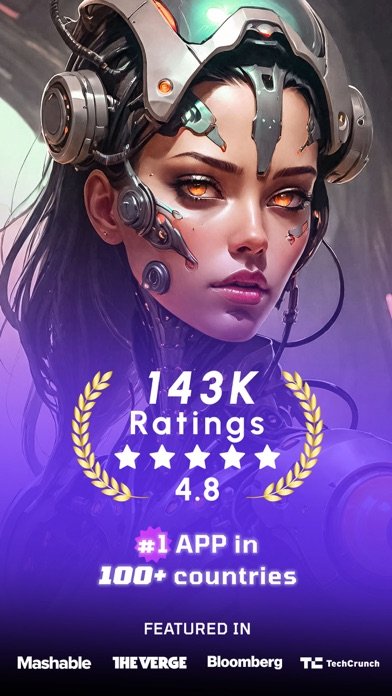
WOMBO Dream is the one I'd hand to someone who has never touched an AI tool before. There's no model picker to puzzle over and no credit-cost calculator to parse before you generate — you type a prompt, choose from the style list, and it just makes something in a few seconds.
What got me was how many art and video styles are packed into one place; going from a watercolor look to something closer to cyberpunk neon on the same idea took a couple of taps, not a subscription upgrade. For someone who just wants to post something to Instagram without learning a workflow, that low-friction path from idea to clip is the whole appeal.
The clips themselves are short by design, which keeps things fast but also means it's not the app to reach for if you need anything longer than a few seconds of footage.
Grok AI

Grok AI is overbuilt for what most people opening this listicle actually want, which is a video generator. It's bundled inside a full AI assistant with voice mode, animated companions, and web search, and the video tool, Imagine, is just one feature buried in that stack.
What users report lines up with what I ran into: one reviewer said they hit a generation limit before using the app at all, and another described paying for the subscription only to be met with connection errors and tighter quotas than expected. That billing frustration shows up often enough in the reviews that I'd go in with modest expectations about how much the free tier actually lets you generate.
When Imagine does work, the six-second clips with sound are a neat trick, especially turning a still photo into motion. But if all you want is a video generator, you're paying for a lot of assistant you may never open.
AI Video Generator – AI Studio

Need something fast for a single reel and don't care which model is doing the work behind it? AI Studio is built for exactly that scramble. The template list is enormous — dance effects, retro looks, UGC ad formats, baby generators, headshots — organized into more categories than I've seen in any other app on this list.
The credit system is at least transparent about cost before you commit: the app shows you upfront how many credits a generation will burn based on the model, duration, and quality you picked, which is more honest than apps that surprise you after the fact. I appreciated seeing the number before tapping generate rather than after.
With that many templates and models stitched together through third-party APIs, results are inconsistent between categories — a dance template rendered cleanly for me while a cinematic one looked noticeably rougher on the same credit spend.
AI Video Generator-VideoMax

Set VideoMax next to VideoGPT or WOMBO and the difference is obvious immediately: this one leans into exaggerated "magic effects" — muscles, explosions, fireworks — rather than straightforward cinematic storytelling. That's a different use case than most of the other apps here, closer to a gag generator than a narrative one.
The coin-based pricing is also structured differently than most competitors, selling packs alongside weekly and monthly subscriptions rather than picking one model. That gives some flexibility if you only need a handful of clips, but it also means comparing the actual cost per video across plans takes more math than I expected before opening the app.
One detail worth flagging: the terms state you can't cancel a subscription mid-period once it's active, which is stricter than the standard 24-hour-notice language most of these apps use.
Reface: Face Edit AI Photo App
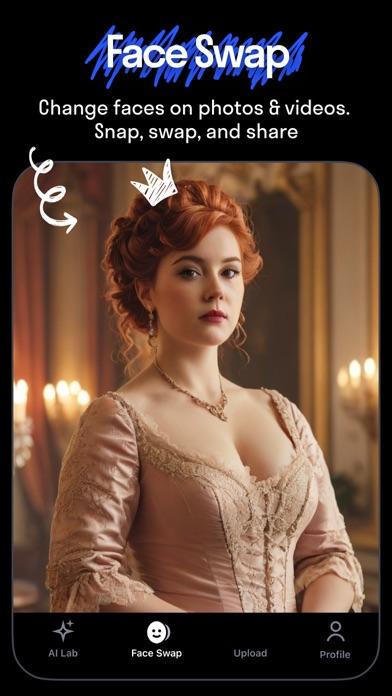
A caveat before anyone downloads Reface expecting a straight text-to-video tool: it isn't one. This is a face-swap and avatar app first, with AI video generation folded in as one feature among filters, hairstyle try-ons, and a baby-face generator.
That said, the face-swap-into-video feature is genuinely fun to mess with, and dropping your own face into a trending clip or making a photo lip-sync to a song works about as smoothly as the listing claims. It's built for going viral on a short clip, not for producing original scenes from scratch.
Most of the features that make it worth opening — the AI photo generator, baby generator, ad-free viewing — sit behind the subscription, so the free version is mostly a taste test of filters you'll want to upgrade past quickly.
Conclusion: ai video generator apps
If I had to keep just one of these installed, it would be WOMBO Dream for anyone who wants a video out the door in seconds with zero learning curve, though I'd pair it with AI Studio when a project actually needs a specific model or a longer template list. VideoGPT and Flashloop are worth a look if style range matters more to you than raw model count, while LUHM, VideoMax, and Reface are better thought of as novelty tools than general-purpose generators. Grok AI I'd skip unless you already want the full assistant and the video feature is just a bonus.
Related app guides: ai face swap apps, ai voice generator apps.