I get asked some version of the same question constantly: how do people make their product photos or profile pics look like they were shot in a studio with no studio at all? Most of the time the answer isn't a photographer, it's one of the ai background remover apps sitting on their phone. What used to take a steady hand in Photoshop and twenty minutes of zooming around hair strands now happens in a tap, or at least that's the promise.
I've spent enough time swiping between these apps to know the promise doesn't always match the delivery. Some genuinely nail flyaway hair and busy backgrounds in one pass. Others bury a perfectly good cutout tool under templates, sticker packs, and a subscription screen that shows up before you've even picked a photo.
Below are the ones I keep coming back to, and a couple I only opened once. If you're trying to figure out which of these background remover apps is worth the download versus which one just wants your card number, this is the rundown.
Background Remover – PNG Maker
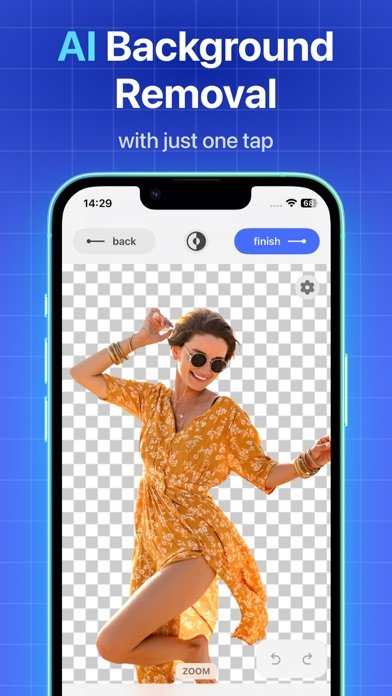
Background Remover – PNG Maker doesn't try to be a full editing suite, and that's really the point in its favor. I dropped in a photo of a mug with a fairly cluttered kitchen counter behind it, and it isolated the object in a couple of seconds without me touching a brush tool.
What I actually use it for is the boring, repeatable stuff: cutting out a product, dropping in a plain white background, and exporting for a marketplace listing. It also handles ID-style photos and simple sticker cutouts, which covers most of what a casual seller needs without wading through a template library.
The app leans hard on being a single-purpose tool, and in my experience that's mostly true – there's no video editor or AI image generator bolted on here. The tradeoff is that fine detail work, like flyaway hair, sometimes needs a manual touch-up pass afterward, which is where the automation quietly stops being automatic.
AI Background Remover – Eraser

I went into AI Background Remover – Eraser expecting the core task to get a little lost in the pile of extra features, and that's mostly what happened. Between the object eraser, the AI background generator, the blur tools, and the sticker library, it's a lot of app for something I mostly wanted to do in one tap.
The one-tap remover itself worked fine on a simple portrait against a plain wall. But the moment I threw a busier photo at it, I found myself wishing the interface got out of the way faster instead of nudging me toward the templates and generator tools I hadn't asked for.
I understand why it's built this way – bundling removal with blur, text, and stickers gives the app more reasons to justify a subscription. I just don't think everyone needs the extra layer sitting on top of a task that should be quick.
Bazaart AI Photo Editor Design

Bazaart is built for people doing a lot more than cutting out a background, which is worth knowing before you download it just for that one feature. If you're assembling social posts, product mockups, or on-model shots with prompt-based edits, the background remover is one tool sitting inside a much bigger design app.
I tried it purely for background removal and it did the job cleanly, but I felt like I was using maybe a tenth of what the app is actually built to do. The AI model generation, magic background scenes, and video tools are clearly where Bazaart wants your attention and, eventually, your subscription.
For someone who just wants a quick cutout, that's more app than necessary. For someone building a shop's visual identity across reels, listings, and ads, it starts to make a lot more sense.
AI Background Remover
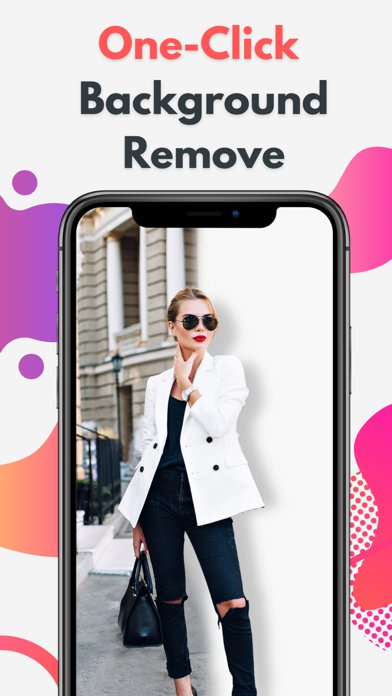
AI Background Remover keeps its pitch down to one sentence – machine learning does the cutting, nothing leaves your phone – and that simplicity is what made me open it first. There's no template library, no AI image generator waiting behind a paywall, just the core task.
I liked that on-device processing meant I wasn't waiting on an upload before anything happened. For someone who's never used a background remover before, the interface has almost nothing to learn: pick a photo, get a cutout.
What you give up for that simplicity is any of the polish tools other apps bundle in, like shadow generation or background scene creation. It's a narrow tool that does one narrow job, and it doesn't pretend otherwise.
AI Background – Pokecut Studio
Pokecut throws a lot at you the moment it opens: over a thousand templates, batch editing, AI retouch, relighting, sticker packs, a brand kit tool. It took me a minute to find the plain background-remover button underneath all of it.
Once I did, the batch removal feature was genuinely useful – I ran a stack of product photos through it at once instead of one at a time, which saved real time on a shoot I was trying to get through quickly. But that's also the app's whole personality: it wants to be an e-commerce content studio, not just a cutout tool.
If you're only ever removing one background at a time, most of Pokecut's feature set just sits there unused. It's built for volume sellers managing dozens of listings, not someone editing a single profile photo.
Pixelcut AI Photo Editor

Pixelcut is the one I reach for when I need something done fast, and it usually delivers – the background remover works quickly on products and portraits, hair included, which is more than I can say for a few competitors here. But a look through what other users report made me a lot more cautious about the subscription flow before I'd recommend it blindly.
More than one reviewer described getting billed for a full year almost by accident and then hitting a wall trying to cancel, with no real explanation given. Others mentioned that nearly every tap in the app prompts another free-trial popup, and one user said they ran out of credits on their very first photo despite already being on a paid plan. I didn't hit the billing issue myself, but I got a lot more careful about tapping continue without reading the fine print first.
One reviewer also flagged that batch-removing backgrounds and saving as PNG stopped preserving transparency correctly, which matters if you're processing a whole shoot at once rather than one image. The AI itself is genuinely fast and sharp – it's the account and billing side that gave me pause.
Retouch AI – Remove Objects

Retouch AI leans on object removal and blemish fixing more than pure background work, so I found myself comparing it against apps built specifically for cutouts rather than treating it as a direct swap. The background-edit feature is there – cut out the subject, drop in a template, or blur what's behind it – but it's clearly the secondary feature next to the clone stamp and retouching tools.
What I actually used it for was removing a stranger who wandered into an outdoor shot, and the auto-detection on people was quick about highlighting the right area. Compared to a dedicated remover, though, the background-swap results felt less refined, more like a bonus feature than the main event.
If you already own a background remover and just want a second tool for cleaning up stray objects and blemishes, this fills that gap.
Retouch: AI Object Remover

A quick caveat before anything else: this one runs ads, and you'll want to know that going in if uninterrupted editing matters to you. Retouch: AI Object Remover packs in outfit changing, sky replacement, double exposure, and spiral effects alongside its background remover, which makes it feel more like a creative effects app than a straightforward cutout tool.
The background removal itself worked reasonably well in my testing, cutting subjects onto built-in scenes or transparent PNGs without much fuss. But between the ad breaks and the sheer number of stylistic extras – dripping portrait effects, neon spirals, photo blending – I kept losing track of the simple task I opened the app to do.
It rewards someone who wants to experiment with creative photo effects and happens to also need a background cut out now and then, rather than someone who wants speed above everything else.
Conclusion: ai background remover apps
For a single clean cutout with nothing else in the way, I still open the plain single-purpose apps first rather than the bundled suites. If you're running a shop and processing photos in bulk, Pokecut's batch tool earns its clutter; if you just want speed and don't mind reading the subscription terms closely, Pixelcut is fast but worth watching at checkout. My pick for anyone who just wants the one job done well is the simplest tool in this list, not the one with the biggest feature list.
Related app guides: ai art generator apps, ai interior design apps.