
I've lost count of how many times I've told myself I'd "start budgeting next month," only to open my banking app three weeks later and wonder where an entire paycheck went. That's the real problem with money: it doesn't disappear in one dramatic purchase, it leaks out in coffees and subscriptions and one-off Target runs. Expense tracker apps exist because most of us need the leak pointed out to us, not lectured about it.
I've spent the last few weeks putting a stack of them through actual daily use — not just poking around the settings menu, but logging real coffee runs, real grocery trips, and one embarrassing late-night takeout order. Some of these apps want to connect to your bank and do the thinking for you. Others hand you a blank ledger and a calculator and get out of the way. Neither approach is wrong, but they suit very different kinds of people, and I found myself liking different ones for different reasons on different days.
If you've been putting off tracking your spending because every finance app you've tried felt like homework, this list from appelse.com is my honest attempt to sort the ones worth your time from the ones that just want your subscription.
Money manager, expense tracker
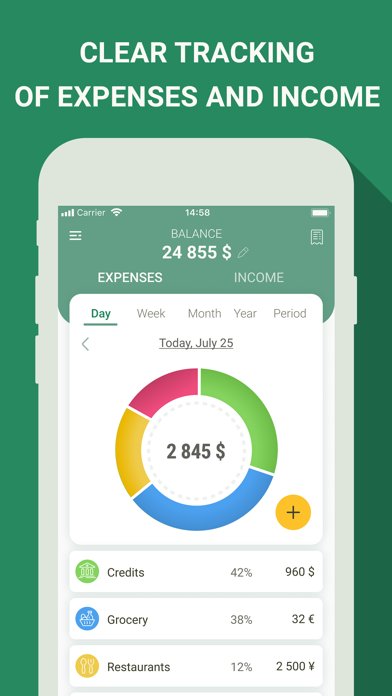
In my experience, this is the app I'd hand to someone who just wants to know where their money went last Tuesday, no more, no less. Adding a transaction really does take a couple of taps — pick a category, punch in the amount, done — and the pie-chart breakdown at the end of the week is genuinely useful for spotting the categories quietly draining your account. I liked that it supports multiple currencies with live exchange rates, which mattered to me during a trip when I was splitting costs between two currencies and didn't want to do the math myself.
Where it gets complicated is access. Depending on where you're located, you may get the full ad-supported experience for free, but in some regions, including the U.S., a subscription is required just to use the app at all. That's an unusual setup for something this basic, and it's worth knowing before you get attached to your category setup.
Expense Tracker – Money Note
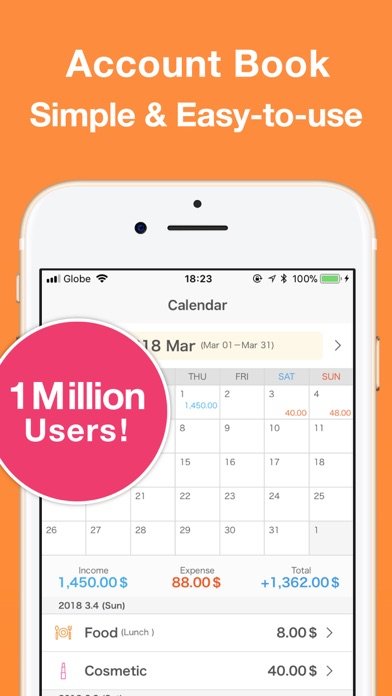
I went in skeptical of yet another "simple" budgeting app, and the onboarding didn't do much to change my mind at first — the interface is plain enough that it took me a minute to find where custom categories lived. One reviewer put it bluntly: it has potential but still isn't fully user-friendly, and I felt that same friction poking around the calendar view before it clicked.
Once it clicked, though, I understood why other users describe it as refreshingly straightforward. There's no bank linking, no account to create, and no monthly fee waiting to surprise you — everything is stored locally on the device, which appealed to me after dealing with apps that phone home constantly. A college-age reviewer mentioned using it to build a personalized tracker for student spending, and I can see that use case clearly: this isn't for anyone who wants automation, but for anyone who wants to type in numbers and be left alone.
The CSV and PDF export options are genuinely handy if you ever need your data for taxes or a spreadsheet, and the home-screen widgets make quick logging less of a chore than opening the full app every time.
Budget App & Expense Tracker
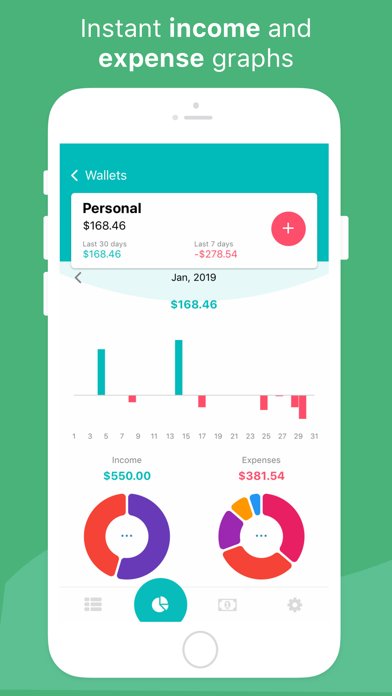
This one is narrow in its ambition but good at the narrow thing it does: keeping business and personal spending in separate, unlimited wallets without charging extra for the privilege. I set up one wallet for personal groceries and another for a small side project, and switching between them felt more organized than juggling categories in a single ledger the way most trackers force you to.
The receipt storage and bank-feed syncing are clearly built with freelancers and small business owners in mind, not someone just trying to stop overspending on takeout. If you don't run any kind of business or side income, most of these features — invoice syncing, per-wallet spending limits, multi-account bank feeds — will sit unused. For the right person, that depth is the whole point; for everyone else, it's a lot of app.
Expenses: Spending Tracker

What made this one easy to recommend to a friend who'd never tracked spending before is that there's genuinely nothing to set up. No account, no sign-in screen, no tutorial to sit through — I opened it and was logging an expense within seconds, which is rare for a finance app. The receipt scanning cut down on manual typing more than I expected, and organizing by merchant rather than just category gave me a clearer picture of, say, how much I actually spend at one specific grocery store versus "groceries" as a vague bucket.
The shared-sheet feature is a nice touch if you're splitting household expenses with a partner, and because everything syncs through iCloud rather than a separate account system, there's no extra login to manage. It's built specifically for the Apple ecosystem, so if you're on Android this one simply isn't an option.
Expenses OK – expenses tracker
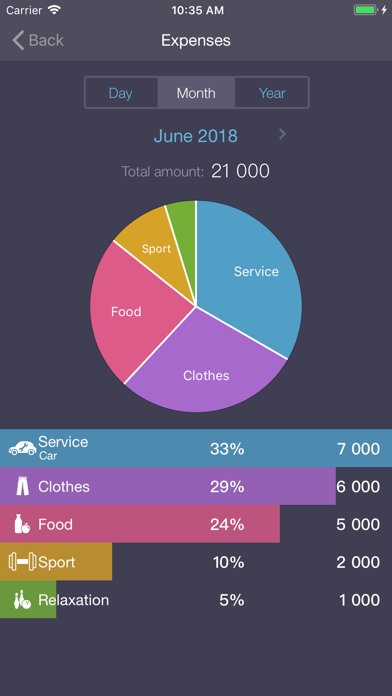
The feature list on this one reads longer than the app actually feels once you're inside it: subcategories, a pie diagram, sync, a passcode, Face ID, CSV export, backups — on paper it sounds like it's trying to compete with far more expensive software. In practice, I found the extra layers of organization more useful for someone tracking dozens of subcategories than for a person who just wants to log a coffee and move on.
The widget is a nice shortcut for quick entries, and the export-to-CSV option is there if you ever need the raw numbers outside the app. But the sheer number of settings and categorization options means there's a setup phase before it feels fast, which runs against what I actually want from a daily expense log.
Receipt Lens – Expense Tracker
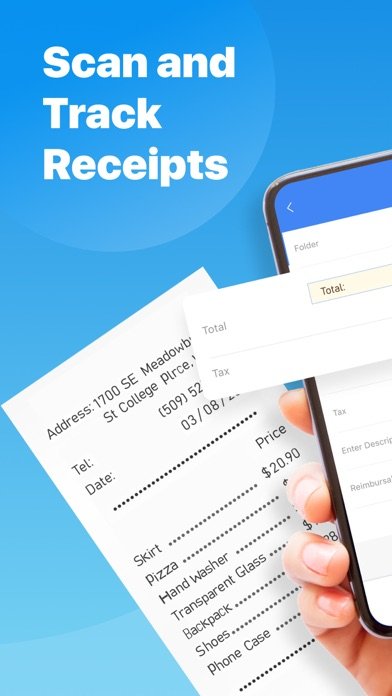
Snap a photo of a receipt, and this app reads the merchant, the date, the tax, and the total without you typing any of it in — that's the entire pitch, and for the narrow job of turning a shoebox of paper receipts into an expense report, it does exactly what it says. I tested it on a crumpled gas station receipt and a grocery receipt, and both came through with the right totals, which is the quick fix I was after.
The categorization it applies automatically saved me the trouble of sorting business from personal expenses by hand, and exporting a finished report to email took one tap. Where I'd pump the brakes is the subscription structure: the free version covers basic scanning, but unlimited scans, full export, and ad-free use sit behind a monthly or yearly premium plan with an auto-renewing trial, so it's worth checking the billing terms before the trial period runs out.
Money Manager Expense & Budget
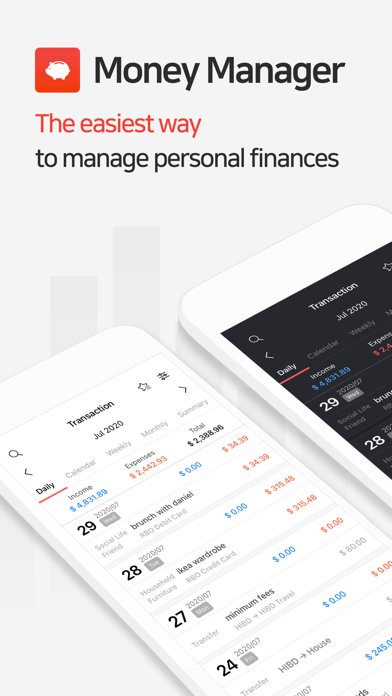
Compared to the simpler ledgers on this list, this one is built for people who actually want double-entry bookkeeping logic in a personal finance app, and that comparison matters because it changes who it's for. I found the budget-vs-expenditure graphs more detailed than most competitors here, and the option to manage accounts from a PC over Wi-Fi is a feature I haven't seen elsewhere on this list.
The lite version caps you at a limited number of accounts and includes ads, which pushed me toward wondering if the full version was worth it before I'd even finished setting up my categories. If you're coming from a spreadsheet-heavy background and miss that level of structure, this fills that gap better than the lighter apps here; if you just want to log a few daily expenses, the double-entry approach will likely feel like more accounting than you signed up for.
Money+ Cute Expense Tracker

A word of caution before you get attached to the multi-ledger setup here: the free experience is generous on paper, but the pricing structure is worth reading closely before you commit. The app itself works entirely offline, storing everything locally unless you opt into an iCloud backup, which I actually liked — no waiting on a server to log a purchase while traveling somewhere with bad signal.
The ledger system is genuinely flexible: separate books for life, work, travel, or family members, plus savings goals and asset trend tracking that go further than a basic income-and-expense split. But the auto-renewing monthly or yearly subscription needs to be manually cancelled at least a day before renewal, or you get charged again automatically, and that's the kind of detail I'd rather know upfront than discover after a surprise renewal.
Conclusion: expense tracker apps
If I'm being honest about which one I'd actually keep installed, it's the app with zero setup friction and no account to babysit — the kind that gets out of your way the moment you open it. For anyone running a side business, the wallet-splitting option earns its place instead. And if paper receipts are your actual problem, the scanning tool solves that one specific headache better than any general tracker on this list.
Related app guides: budgeting apps, subscription tracker apps, net worth tracker apps.