

I started actually caring about my net worth number a few years back, after realizing I had a savings account, a brokerage account, an old 401k, and a mortgage all living in completely different apps, and no single place that added them up honestly. That's the real problem net worth tracker apps are supposed to solve: not just "where did my money go this month," which is what most budgeting apps chase, but "am I actually building something over time." It sounds simple until you try to do it in a spreadsheet for more than three months and give up.
The apps in this space split into two honest camps. Some connect to your bank and investment accounts directly and calculate the number for you, updating automatically but asking you to trust them with real login credentials. Others are manual-entry tools that ask you to type in balances yourself on a schedule, trading convenience for the fact that your data never has to leave your phone. Neither approach is objectively better, and which one you should pick depends mostly on how much you trust account-linking versus how disciplined you actually are about opening an app once a week.
Below I've spent real time in eight apps that all claim some piece of this territory, from full net worth dashboards to budgeting tools that only track net worth as a side feature, and a couple of income trackers that don't do it at all. If you've already read our roundup on budgeting tools, this list picks up where that one leaves off, focused specifically on the running total rather than monthly spending.
Monarch: Budget & Track Money

Monarch is the one I'd point a couple or a family toward first, mostly because sharing a financial picture with someone else is baked into the design rather than bolted on. Net worth shows up right on the dashboard alongside budget progress and upcoming bills, so you're not digging for it in a separate tab. Connecting accounts took me a few minutes and the auto-categorization was close enough out of the gate that I didn't feel like I was cleaning up after it.
What I didn't love came later. Support is email-only, and when my progress view stopped loading for a stretch, there was no one to call and no quick fix I could find. A few users report the same wall: duplicate transactions that won't merge, setup videos that read more like sales pitches than tutorials, and a subscription that locks you in for a year before you've fully decided you like it.
The AI insights feature is fine but mostly restates numbers you can already see on the same screen, which isn't the smart layer I was hoping for. There's no ad-supported free tier here, so the price of entry is a bet on the AI improving before your renewal date hits.
Spending Tracker
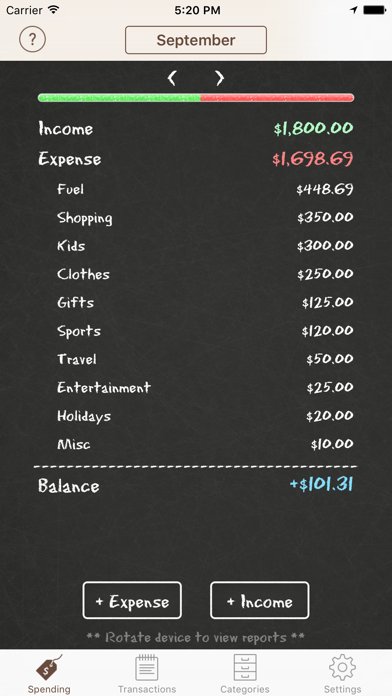
I'll say upfront that Spending Tracker isn't built for net worth at all, and it shows the moment you go looking for anything resembling a trend line across assets and liabilities. It's a spending log with weekly, monthly, and yearly views, a budget mode, and category charts, which is a perfectly reasonable thing to be. It just isn't this thing.
I kept using it for a few days expecting a net worth summary to surface somewhere and it never did. If you want repeating transactions or CSV export, both sit behind the Pro upgrade, so the free version is really just entry and categorization.
Where it does its actual job, it's quick: logging an expense takes seconds and the category icons make the summary view easy to scan. But calling it a net worth tool would be overselling what's really a lightweight spending ledger.
TipTracker – track your income
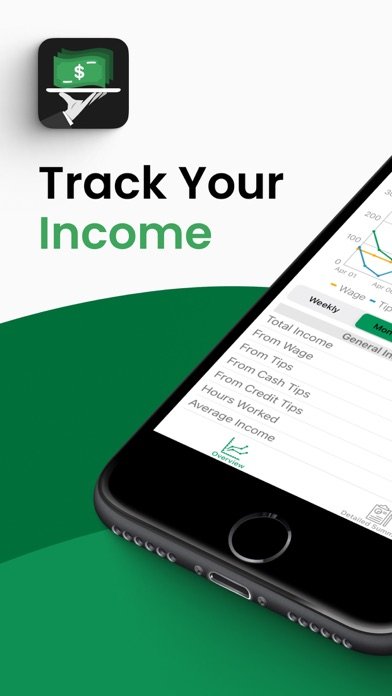
TipTracker solves a much narrower problem than the rest of this list, and it's worth being clear about that upfront: it's built for people tracking hourly pay and tips across shifts, not household assets and liabilities. If you're a server, bartender, or gig worker trying to see which days and jobs actually pay, the calendar entry and the income-by-week graphs do exactly what they promise.
The multi-job tracking is the feature I'd actually use if I were back in that kind of work, since it separates income streams instead of dumping everything into one number. CSV export lets you pull the data out if you want to reconcile it against a bigger financial picture elsewhere.
It won't tell you your net worth, but it will tell you which job and which week paid the most, which is its own useful clarity.
NerdWallet: Smart Money App

NerdWallet is a reasonable place to start if the idea of connecting your accounts to a finance app still feels like a big step. The free credit score check and the plain-language explanations of what's affecting it are genuinely approachable, and the dashboard pulls cash, investments, credit cards, loans, and property into one view without asking much setup effort from you.
What pulled me out of it were the promotions. Users report a steady push toward Atomic-branded cash and investing accounts, and more than one review calls the ad volume the main reason they stopped using the app. I also ran into the same glitchy error message a couple of reviewers mention, plus a redesigned budget layout that one person said made it harder to zoom out across months, which tracked with what I saw too.
For someone brand new to this, the credit and learning sections still make it a decent on-ramp, even with the noise around them.
Budget app – spending tracker
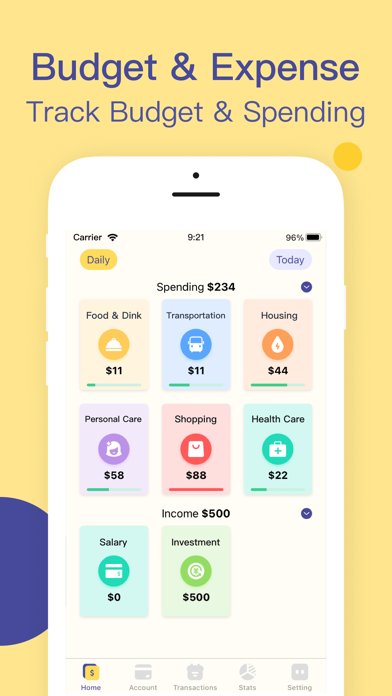
Budget App throws almost everything at you at once: AI receipt scanning, AI voice input, shared ledgers, a budget calendar, subscription hunting, shortcut integration, and more, and net worth tracking is really just one feature buried among all of it. For someone who wants a single dashboard number, that's a lot of surface area to wade through before you find it.
I'll admit the feature list reads well, and if you actually want an all-in-one money app rather than a dedicated net worth tool, there's a case for it. But the premium features sit behind a subscription that auto-renews, and with this many moving parts, I'd rather use a tool built around the one job I actually need done.
If you just want to watch your net worth trend, this is more app than that requires.
WealthPlus Net Worth
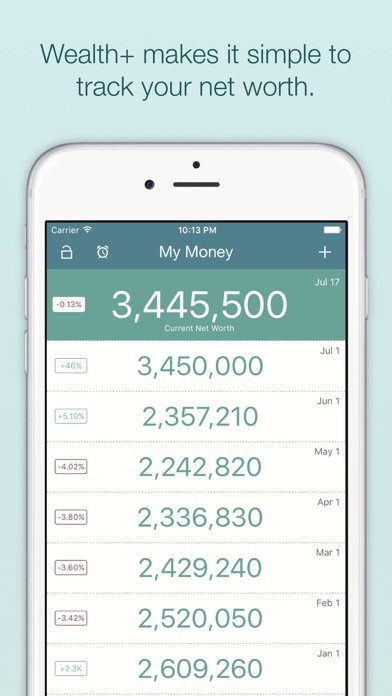
WealthPlus is the fastest route I found to just seeing a net worth number without also inheriting a budgeting system I didn't ask for. You add your accounts as categories, banking, investments, auto, mortgage, whatever fits, punch in the current balances, and the app charts how that total moves over time. No linking, no login sharing.
That manual-entry model is also its limit: nothing updates itself, so the chart is only as current as your last check-in, and the app nudges you with reminders to keep entering numbers. The tradeoff is that your financial data reportedly never leaves the device, with an optional passcode or Touch ID on top.
For a quick monthly check-in rather than daily monitoring, that's a fair trade.
WorthTracker

Next to WealthPlus, WorthTracker is doing the same basic job, manual assets and liabilities, a net worth trend graph, an allocation breakdown, but adds a few things the other one skips, like currency conversion and cloud backup of your data. If you split your accounts across currencies or just don't want to risk losing your history if your phone dies, that's the meaningful difference between the two.
It also leans into the same pitch as WealthPlus: no bank logins handed over, no permissions to your accounts, just numbers you type in yourself. The smart insights mentioned in the app's own description are light, closer to a summary of trend direction than any real analysis.
For anyone comparing the two manual-entry options, the backup and currency support are the deciding factors, not the insights.
Empower ®
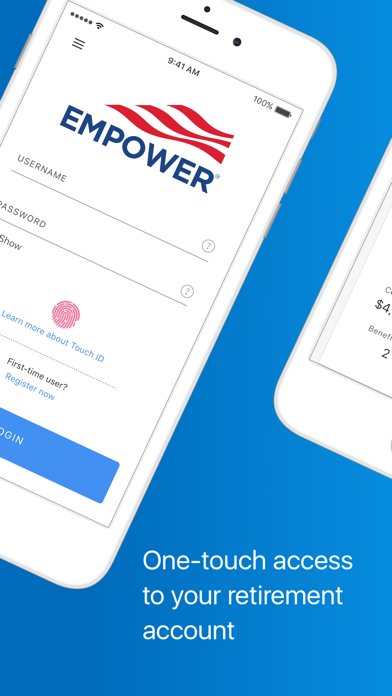
Empower gets the most attention in this category, and Forbes has specifically called out its net worth tracking, but I went in with some caution after reading how many users describe the app simply not loading their numbers correctly. Multiple reviews mention wrong account balances, wrong transaction totals, and a dashboard that freezes on open, which is not a small thing when the entire pitch is an accurate financial snapshot.
When it worked, and for me it mostly did, the retirement planning tools and scenario comparisons went well beyond what the manual-entry apps on this list offer. Worth knowing going in: Empower is really an on-ramp to its own advisory service rather than a standalone tracker, and the support experience reviewers describe swings between excellent and completely broken depending on which issue you hit.
Conclusion: net worth tracker apps
If you want one number that pulls from everything automatically and don't mind a subscription, Monarch or Empower are the real contenders, though Empower's reported balance bugs give me pause. For anyone who'd rather not link a single bank login, WealthPlus and WorthTracker do the manual job cleanly, and WorthTracker's backup and currency support edge it ahead for me. My pick, if I had to keep just one installed, is still Monarch, mostly for how little friction it took to get a usable dashboard on day one.
Related app guides: budgeting apps, expense tracker apps, subscription tracker apps.