I've spent way more late nights than I'd like to admit typing weird prompts into my phone just to see what an AI art generator app would spit out. It started as a joke with friends — "draw me as a Viking barista" — and turned into a genuine habit. There's something addictive about watching a blank prompt box turn into a finished image in under a minute, no drawing skill required.
The real problem is that the app stores are flooded with near-identical apps promising the same thing, and most of them bury the good stuff behind a subscription wall you don't see until you've already typed your third prompt. Some lean into anime, some lean into photorealism, some are trying to be a whole creative suite and end up feeling like Photoshop's confusing cousin. Figuring out which ai art generator apps are actually worth the download, versus which ones just want your email and your card number, took me longer than it should have.
Like picking a karaoke app for singing practice, the right pick here really depends on what you want out of it — quick memes for a group chat, or something closer to a real creative tool. Below are the ones I actually kept on my phone long enough to form an opinion.
WOMBO Dream – AI Art Generator
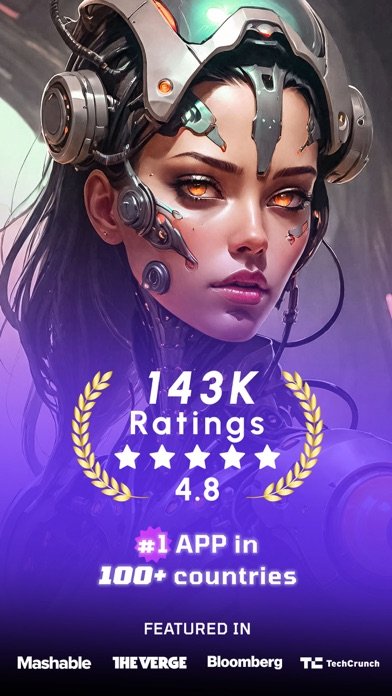
WOMBO Dream is the one I open when I just want a result fast, no fuss. In practice it's genuinely quick — type a phrase, pick a style, and within seconds you've got something usable, which matters when you're doing this on a lunch break instead of a dedicated art session.
What I appreciate is that it doesn't pretend to be a professional studio. The style list (Ghibli-adjacent painterly looks, cyberpunk, watercolor) covers the ground most casual users actually want, and the photo-to-art option is handy when you'd rather remix a selfie than start from a blank prompt.
It's not built for anyone chasing fine control over composition or lighting — you get a vibe, not a precise edit. For turning an idea into a shareable image before you've even finished your coffee, though, it does the job.
Leonardo.Ai – Image Generator
I went into Leonardo.Ai expecting a simple image generator and came out feeling like I'd wandered into a professional studio I wasn't quite ready for. It bills itself as a full creative platform, and it is — multiple underlying models, an upscaler, templates, image editing tools — but that also means the interface asks you to make decisions a casual user has no context for.
If you already know what a model or a LoRA is, you'll probably love how much control is on offer. If you don't, the first ten minutes involve a lot of tapping around wondering what half the menu actually does.
The upside is real: results can look sharper and more deliberate than the one-tap apps once you know how to steer it. But I wouldn't hand this to someone who just wants a fun picture for their group chat.
Grok AI
Grok AI isn't really an art app first — it's an assistant that happens to generate images, and treating it otherwise is where expectations go sideways. I use it when I want an image alongside a conversation, like asking it to visualize something we were just discussing, rather than opening it purely to make art.
The image and short-video generation through its Imagine feature is fast, and being able to trigger a generation by voice is a genuinely different way to work compared to typing a prompt into a text box. But the art tools feel bolted onto a much bigger product built around chat, search, and its companion characters.
If your goal is strictly art generation, this is a narrow use of a much broader app, and you'll end up paying for a lot of features you won't touch.
Neko AI – Anime Art Generator
Neko AI is the easiest of this whole group to hand to someone who's never touched an AI art app before. The onboarding doesn't try to explain models or styles in technical terms — you upload a photo or type an idea, pick anime, and you're looking at a result almost immediately.
It sticks to one lane, anime-style art and photo conversion, and that focus makes it less overwhelming than apps trying to do five things at once. The community feed is a nice touch if you want to see what others are making before committing to your own prompt.
Results do lean generic if your source photo is low quality or oddly lit, which is true of most photo-to-art tools, not just this one.
PixAI – AI Anime Art Generator
PixAI is, without question, the most feature-dense app on this list, and that's both the appeal and the problem. Between the model library, LoRA training for your own custom characters, image-to-video, and an editing suite layered on top of generation, it starts to feel like it's chasing every possible use case at once.
For someone who wants to train a consistent character across dozens of images or fine-tune a specific art style, that depth is exactly the point, and I haven't found a simpler app that offers it. For someone who just wants a picture of a dragon in five minutes, it's a lot of interface to wade through first.
The community contests are a nice touch if you're already invested, but they're irrelevant if you're just passing through for one image.
AI Art Generator
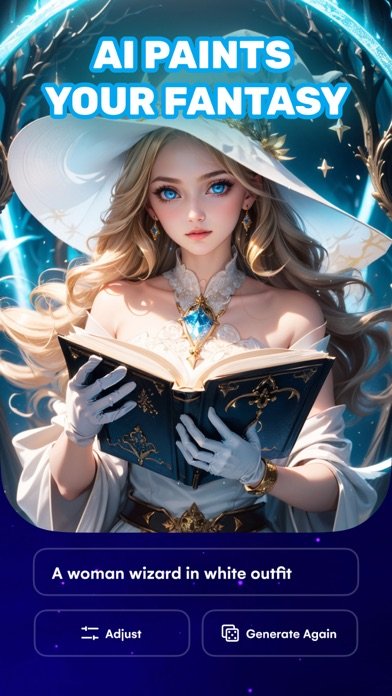
Sometimes I don't want a creative platform, I want a picture of my name in neon letters in under a minute, and that's exactly the lane AI Art Generator lives in. Type a prompt, pick a style, done — it doesn't ask you to understand anything about how the image gets made.
It covers the obvious quick-win categories well: song lyrics, zodiac signs, a friend's name, that kind of lighthearted personal content people actually want a lockscreen or a gift out of. The photo-as-reference option is a nice extra when a plain text prompt isn't quite hitting what you pictured.
Don't expect fine control over composition or repeatable characters here — it's built for a fast single result, not iteration.
AI Dance Generator Video Maker
Compared to the straightforward image generators on this list, AI Dance Generator Video Maker is doing something noticeably different — it's animating a photo into a dance clip rather than generating a still piece of art from a prompt. If you came here expecting a typical text-to-image app, this one will feel like it wandered in from a different category.
What it does well is exactly what it advertises: upload one photo, pick a dance style, and it syncs a fairly convincing animated movement to a beat, which is clearly built for quick, shareable social clips rather than considered artwork.
It's a narrower tool than the others here, and it knows it — baby dance and pet dance content is clearly the core use case, not gallery-worthy art.
Artist.ai – AI Art Generator
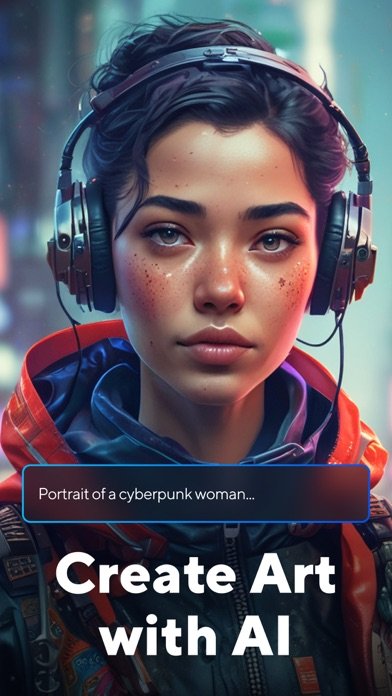
A quick caveat before you download Artist.ai: the avatar and portrait features are the real draw here, and the general art generator feels like the secondary feature by comparison. If you came for wide-open text-to-image creativity, the experience nudges you toward the avatar gallery instead.
That said, the avatar side is genuinely well built — dozens of styles from yearbook photos to travel-themed portraits, and the option to browse a full gallery of variations on your own face is fun in a way plain art generation isn't. The art styles list (Van Gogh, cyberpunk, comic) is respectable but not deeper than what competitors offer.
Go in expecting a portrait and avatar app that also does general art, not the other way around.
Conclusion: ai art generator apps
If I had to keep just one installed, it would be WOMBO Dream for how little friction stands between a stray idea and a finished image. Leonardo.Ai and PixAI are worth the extra setup time if you actually want to steer results rather than just react to them, and Neko AI is my go-to recommendation for anyone who's never tried this kind of app before. The rest earn their place for narrower reasons — a dance clip, a portrait pack, a chatbot that happens to draw — so match the app to the specific thing you actually want made."
Related app guides: ai interior design apps, ai face swap apps, ai headshot apps, ai video generator apps.